Help & Support
Roles, invitations and who may do what
Owner, Parent, Family, Friend, Viewer: permissions in plain language and the full invitation flow.
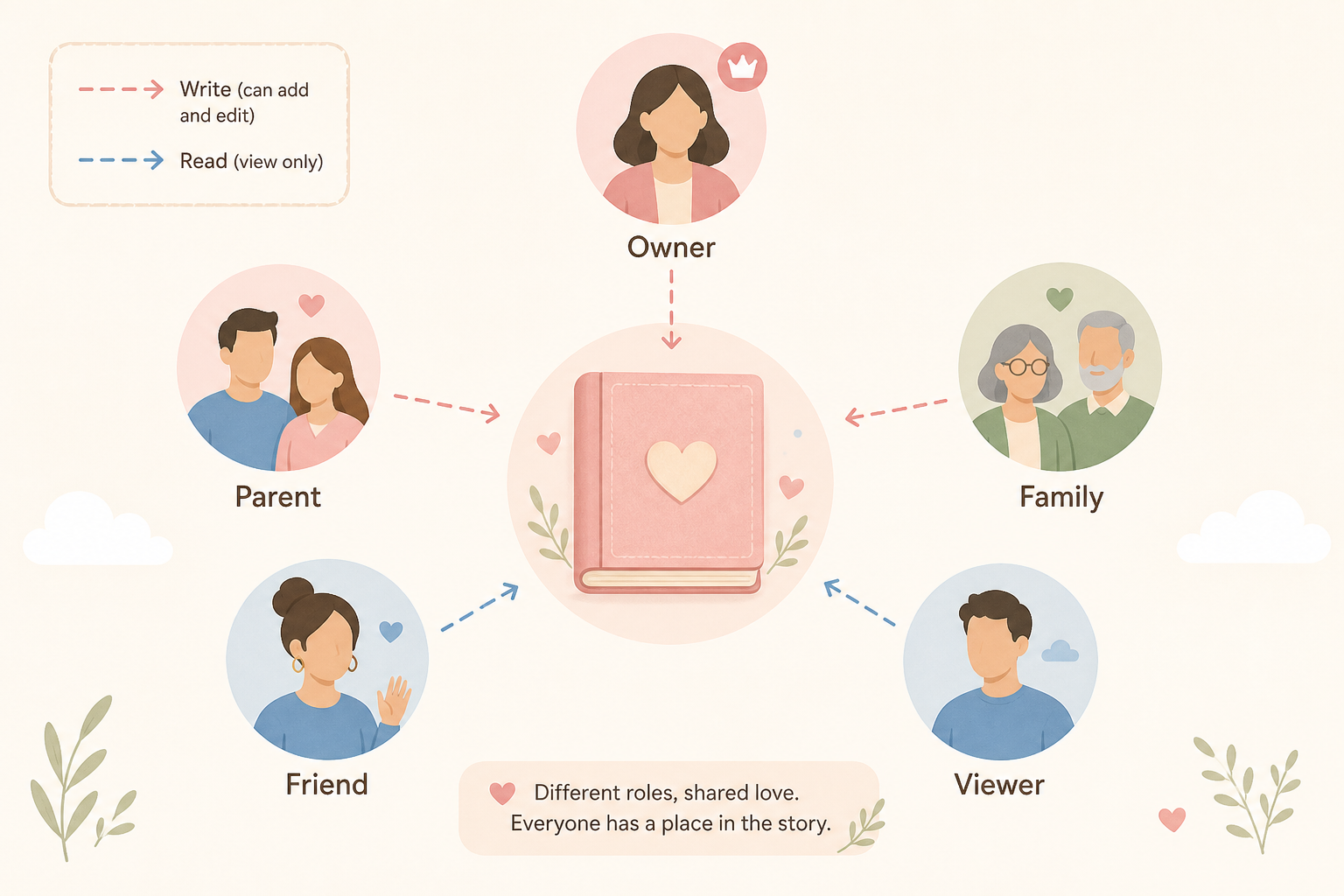
A child diary has exactly one person with full control (Owner) and any number of further people with graded permissions. Your role always applies only to this one child — on a second child you can have a different role.
The five roles
| Role in the app | Read | Write | Invite | Export | Delete child | Child settings |
|---|---|---|---|---|---|---|
| My child (Owner) | Yes | Yes | Yes | Yes | Yes | Yes |
| Parent | Yes | Yes | Yes | Yes | No | No |
| Family | Yes | Yes | No | No | No | No |
| Friend | Yes | No | No | No | No | No |
| Viewer / Observer | Yes | No | No | No | No | No |
- Owner / My child
- Full control. Can invite others and archive or permanently delete the child.
- Parent (write access)
- Can create entries, invite others and export data. Cannot delete the child and cannot manage child settings.
- Family (write access)
- Can create and read entries, but cannot export and cannot invite.
- Friend (read access)
- Sees entries. No buttons to create or delete.
- Viewer / Observer (read access)
- Like Friend: read only. The invitation forms use both names.
Invite someone
- 1
Open child settings
Dashboard → child → Settings, or in the child view the Settings tab. Path: /child/[id]/settings.
- 2
Invitations section
Fields: Email address, Role in the diary, optional Display name (optional) e.g. “Grandma”.
- 3
Choose the role
Parent (write access), Family (write access), Friend (read access) or Observer (read access).
- 4
Send
Send invitation now or Send invitation. The person receives an email with a link.
- 5
Manage the invitation
Open invitations: Resend, Copy invitation link, Withdraw.
Accept an invitation
- 1
Open the link
In the email, click the invitation link (/invite/…). Check the child’s name and the displayed role.
- 2
Choose an account
Already have an account? Already have an account? Log in. Otherwise No account yet? Register.
- 3
Set a display name
Field Display name in the diary, e.g. Mum, Dad. This name appears on your entries.
- 4
Accept or decline
Accept invitation or Decline. Decline cannot be undone later.
What you recognise in the interface
- No Add buttons: you only have read access.
- Banners such as “You only have read access …”: trackers and words are intentionally write-protected.
- No invitation form: you may not invite anyone.
- Danger zone Archive / Permanently delete: Owner only.